Focus on the relevant feedback
Filter loaded records by period, location, platform, rating, text and media. Open the original review and preserve its context before drawing conclusions.
Feedback, responses and follow-through
Bring together available reviews and mentions, assign an owner, prepare a response and turn an issue into a task. Reviews organizes feedback work rather than simply counting stars.
Working data requires an account, permissions and relevant connections.
Reviews, mentions, owners and tasks
Drafting and publishing are separate actions
Reading, history and replies depend on the connection
01 / A clear workflow
For example, a guest comments on a long wait. A courteous reply matters, but so does handing the issue to someone who can improve the process.
Open the review, available media and source link. Check its platform, date and location.
Set a processing status, owner, tags and an internal note. Create a follow-up task when needed.
Use an editable draft or a template. Translation is available with the required AI configuration; it does not publish anything by itself.
Publish only where the source and role permit replies. Track the task and dispatch state separately.
02 / Working tools
Filter loaded records by period, location, platform, rating, text and media. Open the original review and preserve its context before drawing conclusions.
Flag important items, assign an owner and add tags and internal notes. Review handling becomes visible to the team rather than staying in one employee's private conversation.
Prepare a response and edit it before sending. A canned template is a template, not an AI-generated answer. Translating a review, reply or draft uses a separate configured capability.
Create a task with an owner, deadline, priority and state, such as checking waiting times or updating a team instruction. Feedback can prompt an improvement without being treated as proof of an employee's fault.
Saving or copying an invitation is not sending it. Actual SMS or email submission requires a connected sender, a specific recipient, consent and confirmation of the message. History distinguishes submission from delivery.
Review metrics for the loaded data and active filters, and export a filtered CSV. This provides a working picture, not proof that every platform's complete history has been retrieved.
Sources and permissions
Google Business supports managed-profile connections and replies where available and permitted. Instagram/Facebook comments and mentions use SABSUS Social connections. Yelp, Trustpilot and Tripadvisor differ in reading coverage and reply capabilities. Property reviews through Channex require an appropriate connection and Messages & Reviews; this is not direct sign-in to every OTA.
DEMO
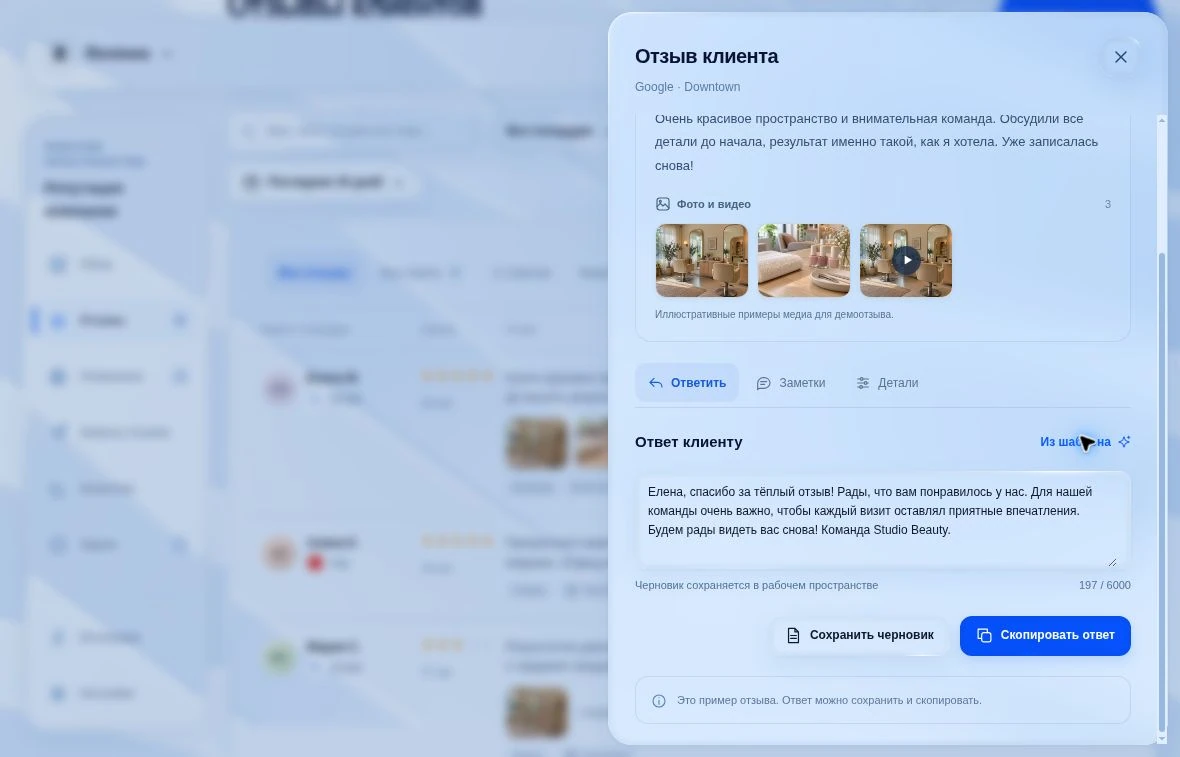
03 / Illustrative scenarios
Keep the context, assign a check to the responsible person and prepare a measured response. Do not hide the issue behind an automatic template or promise an unverified resolution.
Translate the available text, clarify its meaning and review the response before publication. Translation helps understanding but does not replace human judgment.
Prepare a neutral invitation to leave an honest review. Send it with the necessary consent and check delivery state, rather than selecting only satisfied customers.
These are workflow examples, not customer case studies or promised outcomes.
Requirements and boundaries
Reviews does not promise to remove criticism, manufacture reviews or guarantee a higher rating. Source capabilities depend on permissions, provider plans and available APIs. A saved monitor or notification preference is not proof that recurring delivery has started. Demonstration scenarios use fictional data.
FAQ
Available reviews and mentions, response drafts, owners, tasks, invitations and metrics for loaded data. The source and action set depends on connections and permissions.
There is no universal promise. Publishing depends on the source, its reply support and the user's permissions. Reading Yelp or Trustpilot data, for example, does not automatically grant reply-publishing access.
The interface provides editable drafts, deterministic templates and separate translation with the required AI configuration. Templates and translation do not publish by themselves. Available MCP actions also require appropriate permissions.
Yes. Live company mode has a separate sending flow through a configured email or SMS channel, with a recipient, consent and confirmation. Saving a draft is not sending, and a submission state is not confirmed delivery.
CSV/JSON import creates a record snapshot with validation and deduplication. Importing does not become provider synchronization or establish authorship and provider reply authority.
Explore the right workflow, required connections and access boundaries for your scenario.