
Review this scenario
Restaurant operating system
A restaurant does not need a separate POS, kitchen board, delivery sheet, receipt tool, customer catalog and CRM spreadsheet.
A restaurant does not need a separate POS, kitchen board, delivery sheet, receipt tool, customer catalog and CRM spreadsheet.
Before implementation, data is often spread across chats, spreadsheets, separate POS tools, calendars and personal employee phones. Managers do not see the full picture, owners cannot easily understand process profitability, and customers receive a fragmented experience.
After implementation, one object — an order, customer, task, supply or booking — moves through the required steps. Staff work in role-specific interfaces, while the business gets control, history and analytics without manually rebuilding the data.
The main result is less manual work and fewer gaps between teams. The customer sees a clear journey, staff see the next action, and the owner sees the entire process.
• Orders from dine-in, pickup, delivery and catering arrive in one order list.
• Kitchen and production teams work from KDS boards and preparation statuses.
• Payments, receipts, loyalty, delivery and customer history stay connected.
A restaurant usually starts the day with open orders, reservations, preparation tasks, stock alerts and staff responsibilities. Without a shared operating layer, the manager has to check several places: the cashier screen, delivery apps, a messenger chat, a spreadsheet with purchases, a printed kitchen note and a separate CRM or loyalty tool. SABSUS is designed to reduce that fragmentation. The same order can be connected with the customer, products, modifiers, payment, delivery address, kitchen status, receipt, production cost and future marketing action.
For a small restaurant this means fewer missed details. For a chain it means every location can follow the same operating structure while still keeping its own staff, stock, schedule and reports. A delivery order can move from accepted to production, courier assignment, route tracking and completion. A dine-in order can stay attached to the table, payment status and receipt. A pickup order can be visible to the kitchen and the customer status screen. The owner does not need to guess what happened, because the order history and related actions stay in one place.
The goal is not to replace one button with another button. The goal is to make restaurant work measurable: what was sold, what was prepared, what was paid, what was delayed, what was delivered and what should happen next with the customer.
These screenshots show the specific SABSUS workflows relevant to this scenario.
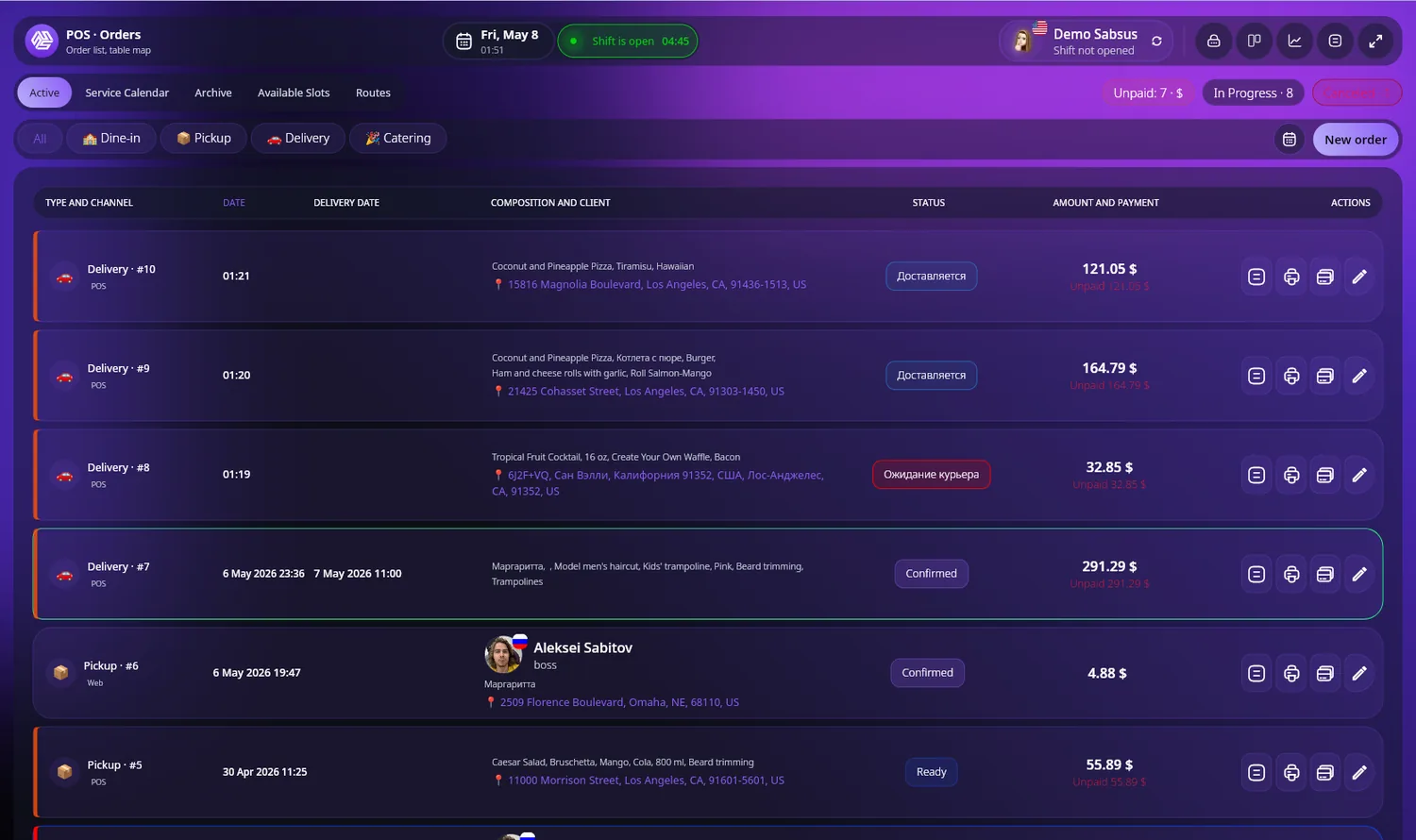
Order list with statuses and payment actions
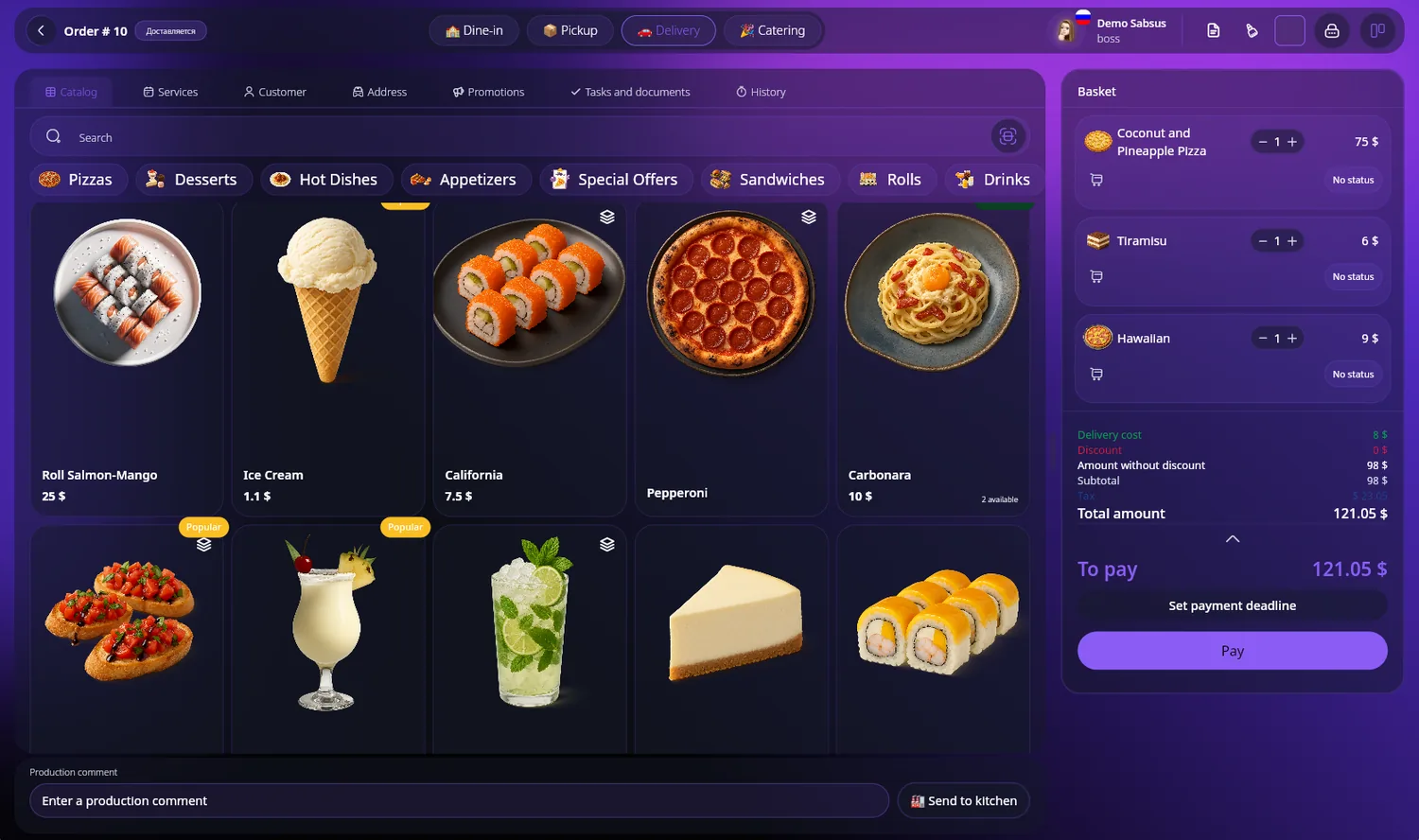
Fast catalog and basket for staff orders
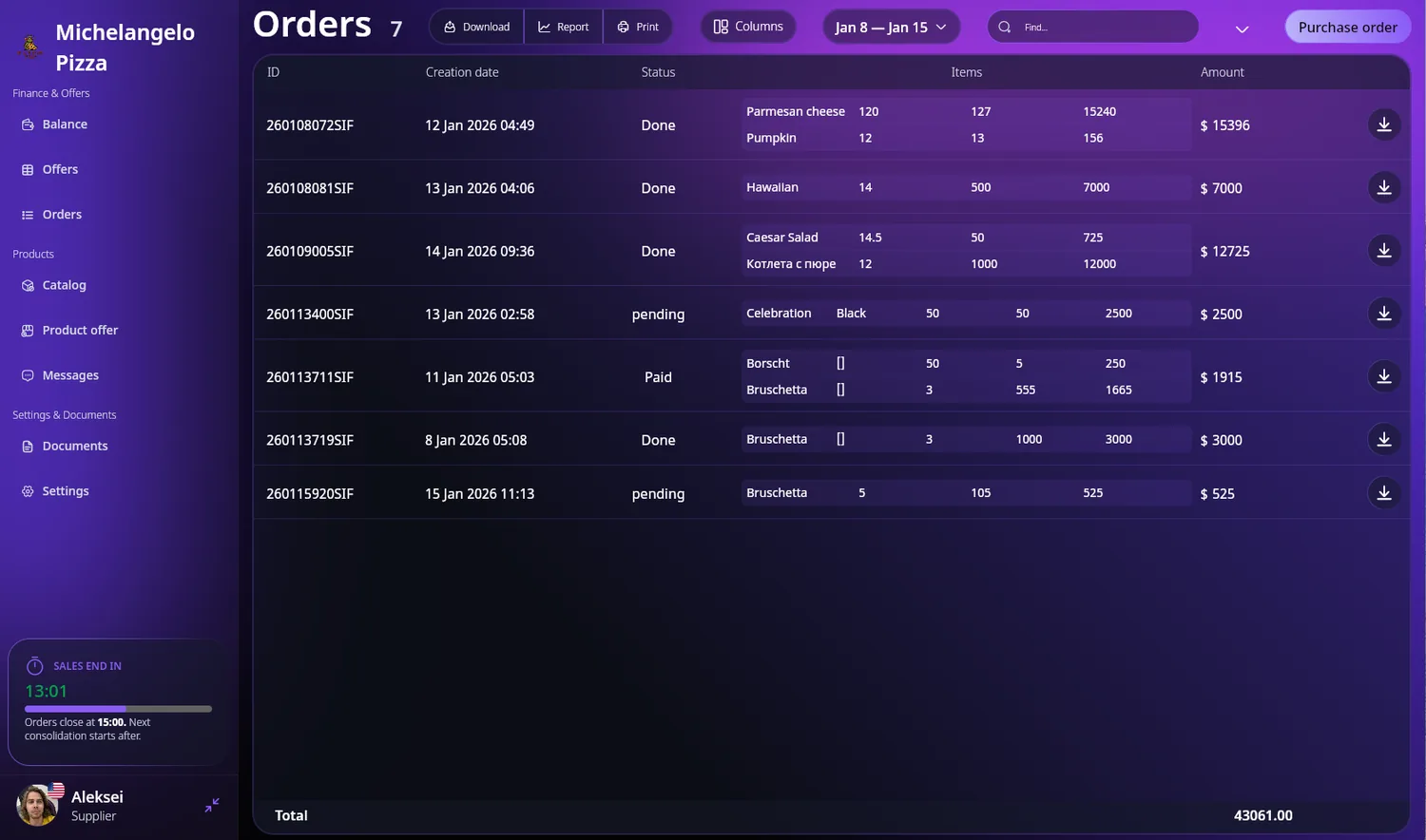
Kitchen or customer order status board
Product interface preview
Select a plan, leave your contacts, and we will review your business: which modules to launch first, which workflows matter most, and which implementation model fits.